1. Why Are Users Leaving Speechify?
Speechify has progressively moved natural voices, offline reading, and PDF support behind its paid paywall. Sync failures and audio cutting mid-session have appeared in user reviews and community forums. The interface is designed to push upgrades, not support reading.
What Are the Real Costs of Speechify at Each Price Tier?
Speechify's free tier limits you to basic voice options with no offline capability. The paid subscription unlocks natural voices and cross-platform sync, but the voice quality ceiling sits lower than some competitors. File format support is also narrower than many users expect for a premium product at that price.
---
2. 9 Alternatives Ranked by Price, Voice Quality, Offline Access, and More
We tested each tool on three document types — a 40-page academic PDF, a long-form news article, and an EPUB ebook — across iOS and desktop. Voice quality ratings reflect how each tool handled complex sentence structures and proper nouns, not just clean prose. Ease of Use ratings reflect onboarding friction for a non-technical user on their first session.
I initially ranked Veed.io higher for students — but after testing it on mobile, the export workflow is too clunky for anyone not already in a video editing mindset. It's a content production tool, not a reading app.
Pricing and Access
| Tool | Free Tier | Paid Price | Offline | Platforms |
|---|---|---|---|---|
| **NaturalReader** | Limited daily listening, web | Varies; check site | Desktop app (paid) | Web, iOS, Android, Desktop |
| **ElevenReader** | Yes, limited chars | Free + ElevenLabs plan | No | iOS, Android, Web |
| **Murf.ai** | Limited audio | Varies; check site | No | Web only |
| **Veed.io** | Limited exports | Varies; check site | No | Web only |
| **Balabolka** | Fully free | Free | Yes | Windows only |
| **Microsoft Read Aloud** | Fully free | Free | Yes (Word/Edge) | Windows, Mac, Web |
| **Voice Dream Reader** | — | One-time + optional premium; check site | Yes | iOS, Android |
| **Kurzweil 3000** | No | Varies (edu pricing available) | Yes | Windows, Mac, Web |
| **Peach** | Unlimited listening | Free tier available | Limited | iOS, Android |
| **VoicePod** | Yes (core features) | Free to start | Yes (on-device) | iOS |
Voice Quality and Fit
| Tool | Voice Quality | Ease of Use | Best For |
|---|---|---|---|
| **NaturalReader** | Good | Low | Students, casual readers |
| **ElevenReader** | Excellent | Low | Voice quality-focused users |
| **Murf.ai** | Excellent | Medium | Professionals, voiceover |
| **Veed.io** | Good | Medium | Content creators |
| **Balabolka** | Basic–Good | High | Windows power users |
| **Microsoft Read Aloud** | Good | Low | Office users, budget-conscious |
| **Voice Dream Reader** | Good | Low | Accessibility, offline needs |
| **Kurzweil 3000** | Good | High | Education, accessibility |
| **Peach** | Good | Very Low | Accessibility-first users |
| **VoicePod** | Excellent (personalized clone) | Very Low | Privacy-first users, on-device processing |
Speechify's paid subscription costs significantly more than most alternatives. NaturalReader's paid tier is often lower — check each tool's current pricing directly, as rates change. That difference adds up, especially on a student budget.
Pricing and feature tiers reflect publicly available information as of June 2026 and may change. Verify current pricing on each tool's official site before subscribing.
Is NaturalReader Better Than Speechify?
NaturalReader's free tier is more accessible than Speechify's — offering daily listening on the web app with no credit card required. The paid tier often undercuts Speechify on subscription cost, though pricing changes frequently. ElevenReader offers strong voice naturalness, but NaturalReader is the safer all-around switch for most users.
---
3. What Do You Actually Get on Free vs. Paid Tiers?
Is There an App Like Speechify but Free?
Yes. NaturalReader's free web version gives you limited daily listening with neural voices — no credit card required. Microsoft Read Aloud, built into Edge and Word, is unlimited, works offline, and costs nothing. Both are genuinely usable for light daily reading.
Microsoft Read Aloud is the most underrated free alternative to Speechify, and almost nobody talks about it. It's built into Edge and Word, handles PDFs reasonably well, and uses Microsoft's neural voices — which are genuinely good. If you're already in the Microsoft ecosystem, you may not need a third-party app at all.
ElevenReader offers a competitive free tier for high-quality voice synthesis, though heavy users will hit character caps. All three are worth testing before paying for anything.
Skip the App: Browser Extensions That Read Anything Without Installing Software
But if you want something lighter than a full app — no install, no account — browser extensions are worth knowing about. NaturalReader's Chrome extension reads directly from Google Docs and most web-based tools, no copy-paste required. The Read Aloud Chrome extension is a free, open-source option that works across most web pages and supports multiple voice engines including SAPI5-compatible voices on Windows.
ElevenReader had no browser extension as of mid-2026 — verify current availability on their site. Murf.ai has no native browser integration — it exports clean MP3s that drop into any DAW or video editor, but it's not built for passive reading.
Offline Functionality and Export Options
Offline reading is where the gaps get sharp. Balabolka (Windows only, fully free) is the strongest offline option: it runs entirely local, supports SAPI5 and other voice engines, and exports to MP3 and WAV without any paywall. NaturalReader's desktop app supports offline reading on paid plans.
Export is a different story. Most web-based tools — Murf.ai, Veed.io, ElevenReader — lock audio conversion and MP3 export behind paid tiers. Voice Dream Reader on iOS handles offline reading well at a one-time purchase price, which beats Speechify's annual subscription for users who primarily want a document reader without cloud dependency.
Murf.ai's paid plans include a capped amount of audio generation — fine for occasional use, tight for heavy voiceover work. Check Murf.ai's current plan details for specifics.
---
4. Which Alternative Works on Your Device? iPhone, Android, Windows, Mac, and Web Compared
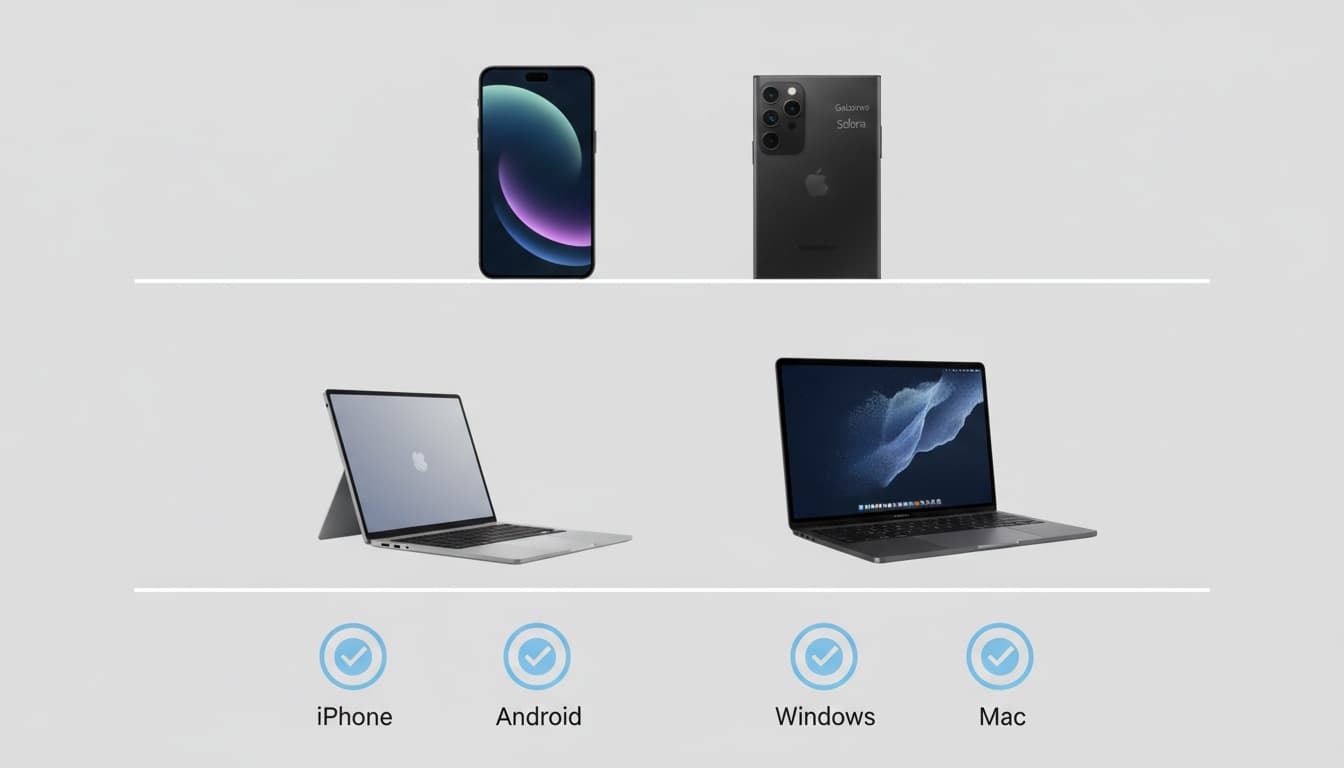
Not every tool works everywhere — and the best option on iPhone is often not the best option on Windows. Here's where each alternative shines by device.
---
iPhone:ElevenReader has a polished iOS mobile app with consistent compatibility across iPhone and iPad. NaturalReader iOS syncs your library across devices. For zero-cost access, iOS's built-in Speak Screen feature (Settings > Accessibility > Spoken Content) reads any on-screen text using Apple's neural voices — no download required.
---
Android: NaturalReader's Android app handles cross-platform compatibility well. Google's built-in TTS engine (available through Select to Speak in Accessibility settings) is free and works offline. Voice Dream Reader supports Android with strong offline reading and pronunciation accuracy controls.
---
Desktop (Windows/Mac):Balabolka is Windows-only and excellent for power users who want full control over voice customization, reading speed, and export formats — all free. Mac users should look at NaturalReader's desktop app or macOS's built-in Spoken Content feature (System Settings > Accessibility > Spoken Content). Kurzweil 3000 runs on both platforms and is worth the cost for users with documented accessibility needs.
---
Web-only: Veed.io and Murf.ai are browser-based with no desktop install. NaturalReader's web app is the strongest web-only free alternative for general reading.
---
5. Find Your Perfect Match: Alternatives for Students, Professionals, and Accessibility Needs
Identify your primary pain point with Speechify, then match it to the tool that directly solves it. The use cases below are where the differences actually matter — see our text-to-speech apps guide for a broader overview of the category.
What's the Best Speechify Alternative for Students?
NaturalReader is the default recommendation. The free web tier covers light daily use, the PDF reader handles most academic documents, and reading speed goes up to 3x. Check your university's accessibility office first — many provide Kurzweil 3000 at no cost to enrolled students.
When I ran NaturalReader on a dense 40-page academic PDF, it handled footnotes and section headers better than I expected at the free tier. ElevenReader works well too, and using AI to read essays aloud doubles as a proofreading method that catches errors your eyes skip over — reading aloud as a proofreading method is something ElevenLabs has written about directly.
Student discount availability varies. NaturalReader offers educational pricing; Kurzweil 3000 has institutional licensing through universities. Check your school's accessibility office before paying retail — many institutions provide Kurzweil or similar TTS software at no cost to enrolled students.
Which Speechify Alternative Is Best for Professionals and Content Creators?
Murf.ai for voiceover and content production — studio-grade voice synthesis, deep customization (pitch, speed, emphasis, pauses), and a web-based workflow that fits most content pipelines. At its current paid tier pricing it can replace a freelance voiceover budget for many use cases. Veed.io fits video creators who need audio baked into an editing workflow.
Veed.io fits a different professional profile: video creators who need audio conversion inside an editing workflow. The TTS feature generates narration directly inside the video editor, saving a step compared to generating audio in one tool and importing it into another. More on AI voice generation tools in VoicePod's voice synthesis guide.
Integration reality check: Neither Murf.ai nor Veed.io integrates natively with Notion or Google Docs as of mid-2026 — verify current integrations on each tool's site. For document-centric workflows, NaturalReader's Chrome extension or the Read Aloud Chrome extension are more practical. Murf.ai exports clean MP3s that drop into any DAW or video editor, but there are no native integrations. Developers and teams needing programmatic access should evaluate ElevenLabs' API directly — ElevenReader is the consumer-facing app, but the underlying API supports custom integrations.
Which Speechify Alternative Is Best for Accessibility?
Voice Dream Reader for individual users — purpose-built for dyslexia and low vision, with custom pronunciation dictionaries, syllable-level highlighting, and offline support. Kurzweil 3000 is the institutional standard for structured academic use. Check with your school's accessibility office before paying retail for either.
Pronunciation accuracy matters more here than anywhere else. Mispronounced names or technical terms break comprehension for users with dyslexia or low vision who rely on audio as their primary reading channel.
The difference shows up in the details. Custom pronunciation dictionaries, syllable-level highlighting, adjustable reading speed that doesn't distort pitch — Voice Dream Reader has all of it. It works offline and handles a wide range of document formats, which matters for users who can't depend on a stable connection.
Kurzweil 3000 is the institutional standard for learning differences. The feature depth — syllable highlighting, vocabulary support, reading speed control, integrated study tools — is unmatched for structured academic use. It's expensive without educational pricing, but the investment pays off for users with documented needs. See W3C WCAG guidance on text-to-speech for the documented accessibility framework underlying these tools.
No TTS software treats, diagnoses, or replaces guidance from an educational psychologist or medical professional. The accessibility benefits described here reflect documented usability research, not clinical claims.
Which Is Better, Peach or Speechify?
Peach targets accessibility-first users with a deliberately simpler interface — fewer features, less friction, lower learning curve. Its free tier includes unlimited listening with no character cap, which Speechify's free tier doesn't offer. Speechify has broader feature depth but higher subscription cost and more interface complexity. For users with dyslexia or visual impairments who find Speechify's paywall structure confusing, Peach's focused design often wins on ease of use.
---
6. How Does Customer Support Compare Across Speechify Alternatives?
Support quality varies significantly across these tools. NaturalReader's support response times are generally reported as responsive by community users, though this can vary. Murf.ai has live chat on paid plans. Balabolka is community-supported only — no official support channel, just active forums and a developer who responds to GitHub issues.
Speechify's customer support has drawn complaints about slow response times in user reviews, though experiences vary. That's relevant if you're mid-subscription and hit a billing issue or sync failure. ElevenReader support routes through ElevenLabs' general support queue; response times vary by plan tier.
---
7. How Do You Switch from Speechify Without Losing Your Documents?
Speechify doesn't make migration easy — there's no bulk export, no highlight backup, nothing. Your documents are accessible as long as your account is active, so download any files you uploaded before canceling.
Five questions to ask before committing to an alternative:
- Do I need offline reading, or am I always connected?
- Is voice quality or price my primary constraint?
- Am I on iOS, Android, Windows, Mac, or primarily web?
- Do I need audio export (MP3/WAV), or just listening?
- Is this for personal reading, professional content production, or accessibility support?
Run your chosen alternative in parallel with Speechify for two to three weeks before canceling. Most alternatives have free tiers that make this cost nothing. Cancel Speechify through its website (not the App Store) to avoid billing confusion — App Store cancellations and direct cancellations are tracked separately, and slow support response times make disputes hard to resolve.
Speechify offers a refund window for annual plans — check Speechify's cancellation and refund policy for current terms. If you're within that window and unhappy, request one directly.
For a deeper look at evaluating TTS tools before you commit, see our guide to choosing text-to-speech software.
---
8. Key Takeaways
- NaturalReader is the strongest overall alternative — generous free tier, competitive paid price, solid multi-device support
- ElevenReader wins on voice quality; Murf.ai wins for professional content production; Balabolka wins for free Windows offline use
- Microsoft Read Aloud is the most underrated free option — built into Edge and Word, offline-capable, no subscription
- Voice Dream Reader is the accessibility-focused choice; Kurzweil 3000 is the institutional standard
- Peach offers unlimited free listening with a low learning curve — worth evaluating if Speechify's complexity is the problem
- Run any alternative in parallel for 2–3 weeks before canceling Speechify, and cancel directly through Speechify's website
Ready to test an alternative? Start with NaturalReader's free tier — no credit card required — and run it alongside Speechify for two to three weeks before committing.
---
9. FAQ
What is the best free alternative to Speechify? Two strong options. NaturalReader's free web tier gives you limited daily listening — no credit card required. Microsoft Read Aloud is unlimited, built into Edge and Word, and works offline. If voice quality is your priority, ElevenReader's free tier uses excellent neural voices, though character limits apply on heavy use.
Does NaturalReader work offline? On paid plans, yes — the desktop app supports offline reading. The free web version requires an internet connection. If offline is non-negotiable and you're on Windows, Balabolka is free, runs entirely local, and requires no account or subscription.
Can I export audio files from Speechify alternatives? Balabolka exports MP3 and WAV for free. Murf.ai and Veed.io offer audio conversion on paid plans. Most free tiers restrict export. NaturalReader's free tier does not include MP3 export.
Which Speechify alternative is best for students? NaturalReader for most students — the free tier is genuinely usable, PDF reader support is solid, and reading speed control goes up to 3x. Check your university's accessibility office first. Many institutions provide Kurzweil 3000 at no cost to enrolled students, which is a significantly better deal than any retail subscription.
Is Murf.ai a good replacement for Speechify? Only for one specific use case: professional voiceover and content production. Murf.ai is a web-only production tool with no offline reading. It's not a reading app replacement — using it to listen to articles on your commute would be like using a video editor to play music.
What happened to Speechify's free tier? Natural voices, offline reading, and PDF support have progressively moved behind Speechify's paid paywall. As of mid-2026, the free tier limits users to basic voice options with no offline capability, pushing most practical use cases toward the paid subscription.
All pricing reflects publicly available information as of June 2026. Verify current pricing on each tool's official site before subscribing.
---
10. Why On-Device Processing Matters: How VoicePod Differs From Cloud-Based Alternatives
Every alternative in this guide uploads your documents to cloud servers for processing. VoicePod is the exception — it runs entirely on your iPhone, no uploads, no external servers, no privacy trade-offs. Your documents and voice clone never leave your device.
The 3-second voice clone generates a personalized reading voice locally on your phone, and generation runs quickly on iPhone with no subscription required for core functionality. For users concerned about Speechify's cloud dependency or who want complete control over their data, this is the core difference. Search for VoicePod on the App Store to try it, or read more in our on-device text-to-speech guide.